
It’s Easy to Change Your Instagram Username. But Should You?

Want to change your Instagram username?
Of all the social media platforms, Instagram makes this the easiest.
Perhaps you’re changing your business direction, as I am. Or maybe you’re able to get a name that matches what you have on other platforms.
Is it all fun-and-games, done it two seconds?
Not hardly. Here’s what to consider before changing.
Please read to the end so you know what to expect before deciding!
You’ll Change Your Instagram Username in All These Places
First off, if you’ve had your Instagram account for any length of time, and you’re active in promoting it, you’ve got that link posted in a lot of places.
I ran a search of my blog posts and was surprised to find over a dozen links. I actually found a LOT over a dozen, but I have the same “howtographics” username on my Facebook page, so that showed up too. Changing your Facebook username is a whole ‘nother (and more complicated) story – read this post if you want to do that.
You’ve probably linked your Instagram account in at least one sidebar, header, or footer widget (I had 3).
If you’ve guest posted, consider whether you left links there, and how you can access them to make the change. The last thing you want is to impress your reader, then send them to a dead page!
If you’ve linked to Instagram from other social accounts, you’ll need to update those too. This used to be on my Google+ profile, but I don’t see it any more. You may have pinned a link to Instagram on Pinterest – you can change the URL on the pin. And if you have a separate Instagram account, you might have dropped a link there. Or on your Twitter profile. Find ’em all!
Check your email signature, as well as any printed materials – business cards, brochures, anything else? These will need to be addressed (haha) first.
Timeline for Changing Your Instagram Username
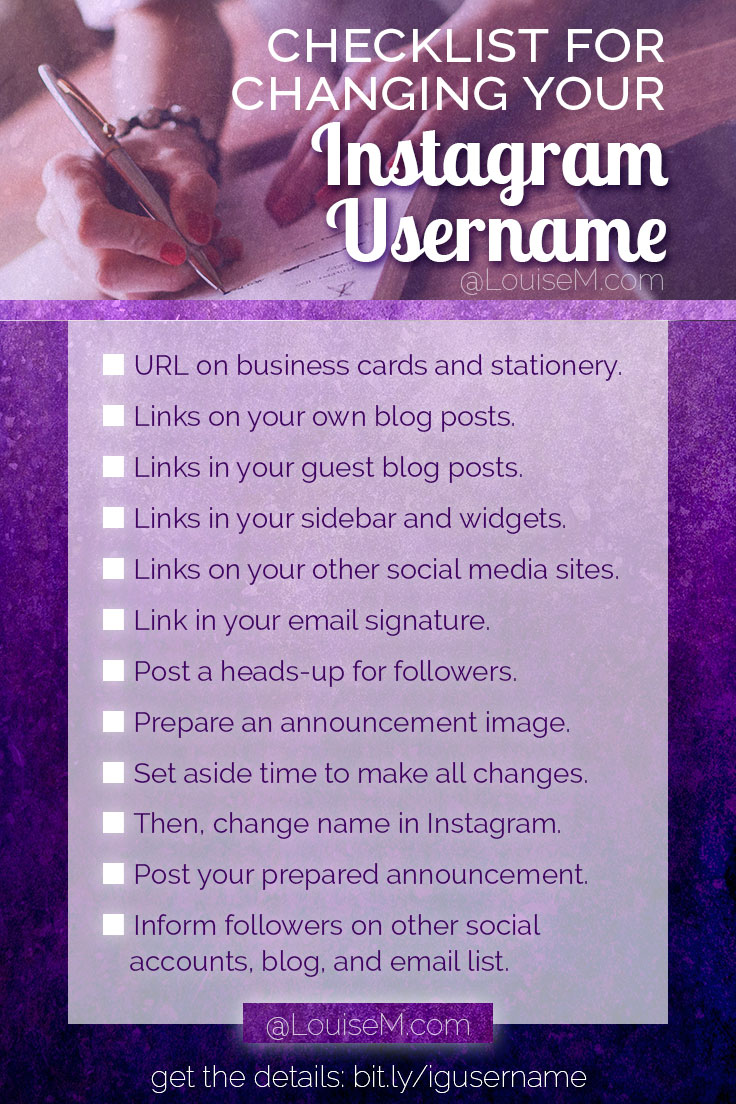
Now that you’ve figured out where you’ve placed your old username, it’s time to prepare.
- Printed materials? Order new ones ASAP.
- Post a heads-up on your Instagram account that you’ll be changing your name. Explain why. (I received such a positive response!) You might do this a few times over as many days, at different times of day. You can remove these posts later.
- Reach out to blogs where you’ve guest posted and request the change, if you don’t have admin privileges to do it yourself.
- Prepare an image to post on Instagram when you do the name change.
- Set aside one to several hours (depending on how much you need to change) to do steps 6 to 9 in quick succession.
- Open all the blog posts, widgets, and social media accounts that you need to change in separate tabs. Enter the change, but don’t save/update yet.
- Go into your Instagram profile and make the change. Post your prepared image and inform your followers.
- Save all changes waiting from previous step.
- Change your email signature.
- If desired, inform followers on your other social accounts, blog, and email list of your change.
Pin this checklist as a reminder! (Then read on…)
Here’s the Bummer You Didn’t Expect
I’m pretty sure that after I changed my username, Instagram somehow suppressed my posts. I suppose it’s happening in the hashtag feeds, since there’s not yet an algorithm for the feed. All I know is, my post likes have dropped by more than 50%. For example, I don’t think I’ve ever posted a graphic with a cat on it that got less than 100 likes. The one I posted a few days after the name change? 36 likes. Boo!
Or maybe my new username of LouiseMcom isn’t as intriguing as my previous?
Hopefully things will change as my new name builds credibility. I’ll keep you posted.
But There IS Some Good News…
All the @mentions of your old username will switch to the new one. If you’re still seeing the old username, Instagram says it’s a caching issue:
If you edit your username and continue to see your old username within the app, you’re likely experiencing a caching issue. We cache certain images and text to make the app run faster.
Keep in mind that you’re the only person seeing your old, cached username. Eventually, your old username will be completely cleared out of our system. If you’d like the old username to disappear immediately, however, you can uninstall and reinstall the app to clear your cache. source
Will YOU Change Your Instagram Username?
Sometimes, you gotta do it. I think I would have, even if I’d known about the drop in likes. My old name just didn’t fit any more. While I still DO provide graphics advice, it won’t be the focus of my business. I really wanted to move on – and changing that username was part of the process.
If you decide to do it, sooner is better than later. Just be prepared.
I’d love to hear if you’ve done it and what your results were! Please share any tips you’ve learned for changing your Instagram username.
{loadposition user99}


Leave a comment